
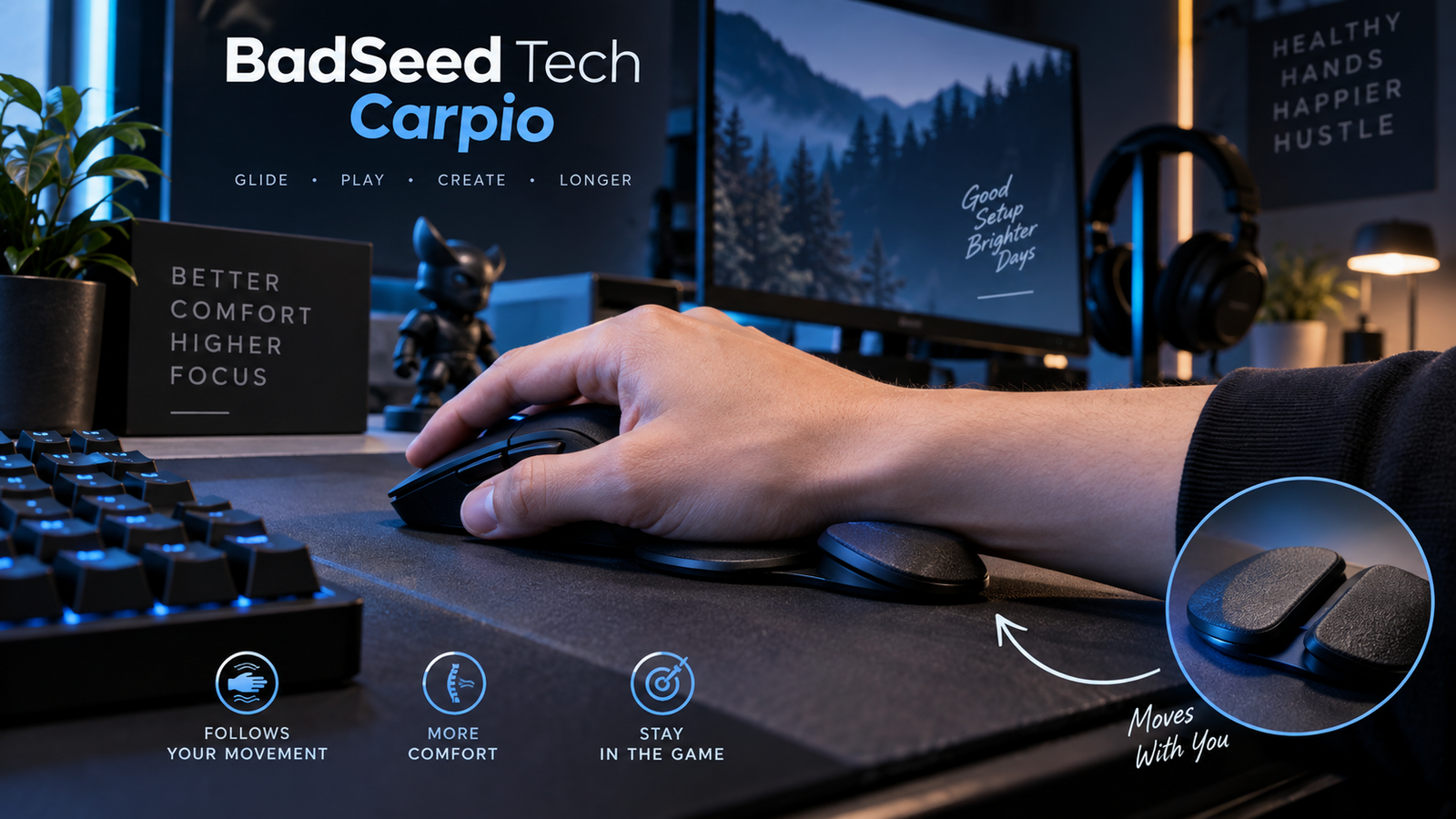
Quick answer: BadSeed Tech Carpio is a creator-collaboration edition of DeltaHub’s Carpio 2.0 ergonomic wrist rest. The core idea is a small support that sits under the palm and glides with mouse movement instead of staying fixed in one place. The BadSeed Tech version uses the Carpio 2.0 platform with special collaboration pads and styling.
In this guide
- What BadSeed Tech Carpio actually is
- How the gliding wrist support works
- Materials, sizes and included parts
- Who it may suit and where it may not fit
- BadSeed edition vs standard Carpio 2.0
- Setup tips and common mistakes
- Pros, limitations and FAQs
- Yoast SEO settings and source links
What Is BadSeed Tech Carpio?
The BadSeed Tech Carpio is not a separate electronic gadget, mouse, or piece of software. It is an official creator-collaboration edition of DeltaHub’s Carpio 2.0, a compact ergonomic wrist support designed for mouse use. DeltaHub describes the collaboration version as a black Carpio 2.0 supplied with exclusive BadSeed Tech replaceable pads.
That distinction matters because the search term can sound like a completely new product. In practice, the main engineering comes from the existing Carpio 2.0 platform. The collaboration changes the look and the included pads rather than creating a new type of mechanism.
BadSeed Tech is a technology creator brand known for PC hardware, peripherals and desk-setup content. DeltaHub has used creator collaborations before, so the BadSeed Tech edition fits into a wider line of special Carpio releases.
Official reference: DeltaHub — Carpio 2.0 BadSeed Tech Edition
Why the Carpio Design Is Different
A normal foam or gel wrist rest usually stays in one place. Your hand moves across the mouse pad, but the rest does not. Carpio takes a different approach: the support itself is meant to slide with your hand. The goal is to let the palm stay supported while the hand and forearm move together more naturally.
DeltaHub says the shape shifts pressure away from the sensitive carpal area toward stronger parts of the palm. The company also says the product was developed with input from medical experts. Those statements describe the product’s ergonomic design; they should not be treated as a diagnosis, treatment, or guarantee that a wrist problem will disappear.
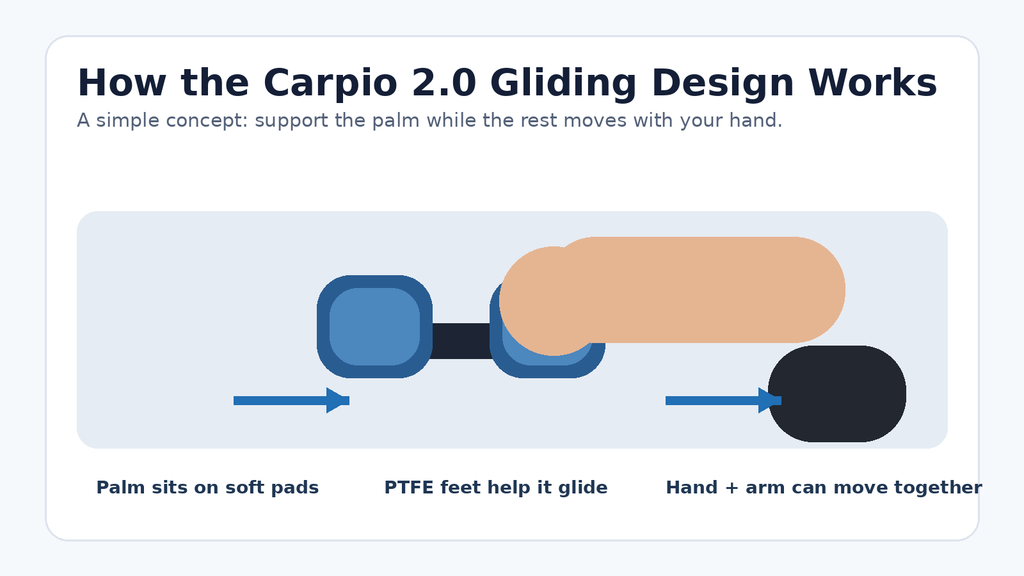
Original explainer: the support is designed to travel with the hand rather than stay fixed.
How Does BadSeed Tech Carpio Work?
Your palm rests on two soft pads. Underneath, low-friction PTFE feet allow the unit to glide across a suitable desk mat or desk surface. Instead of anchoring the wrist in one spot, the support is intended to move as you move the mouse.
This is also why the surface under the Carpio matters. DeltaHub recommends smooth surfaces and specifically notes neoprene or felt desk mats as good options. A rough or sticky surface may reduce the smooth movement that the design depends on.
The product does not use batteries, software, sensors, Bluetooth, or USB. It is a purely mechanical desk accessory.
Materials and Build
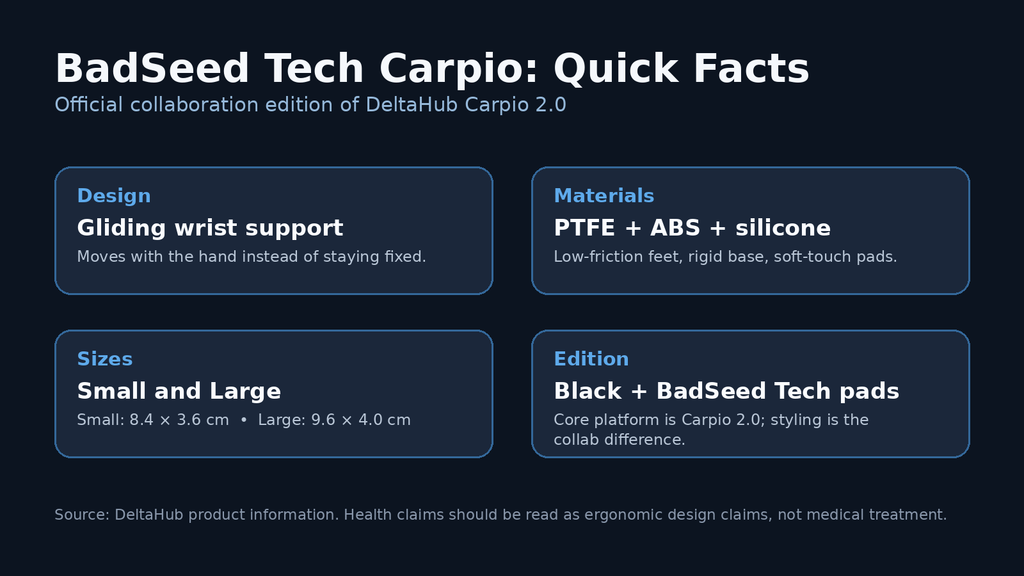
According to DeltaHub, the Carpio 2.0 uses three main material groups: PTFE gliders on the underside, an ABS base, and silicone pads where the palm rests. That combination is meant to balance low-friction movement, a rigid structure, and a softer contact surface.
| Specification | Details |
| Product | Carpio 2.0 — BadSeed Tech Edition |
| Type | Gliding ergonomic mouse wrist support |
| Base | ABS |
| Palm pads | Silicone |
| Gliders | PTFE |
| Small size | 8.4 × 3.6 cm |
| Large size | 9.6 × 4.0 cm |
| Hand options | Left, right, or both depending on listing/region |
| Special-edition detail | BadSeed Tech replaceable pads and styling |
What Comes With the BadSeed Tech Edition?
On DeltaHub’s product page, the special edition is described as including a black Carpio 2.0 with standard pads in the chosen size, plus BadSeed Tech special-edition replaceable pads. Stock, bundle contents, hand options and pricing can vary by region, so the official product page should be checked before buying.
Small or Large: Which Size Is Better?
DeltaHub lists two Carpio 2.0 sizes. Small measures about 8.4 × 3.6 cm, while Large measures about 9.6 × 4.0 cm. The company provides a size guide and also notes that smaller sizing can suit tasks that need more precise movement, while a larger size may provide a broader support area for general use.
Because hand shape and desk setup differ from person to person, the safest choice is to use the current official size guide rather than guessing from age, height, or another person’s setup.
How to Use It Correctly
1. Place the palm, not the wrist joint, on the pads. The support is intended to sit under the palm area. Avoid pressing down hard.
2. Let the unit move with your hand. The design works best when you allow it to glide rather than trying to keep it fixed.
3. Support the elbow. DeltaHub recommends adequate elbow support from the chair armrest or the table.
4. Use a smooth surface. A felt or neoprene desk mat is one of the surfaces DeltaHub recommends.
5. Check height alignment. Very tall keyboards or vertical mice can leave Carpio too low. DeltaHub sells optional height-adjustment accessories for that situation.
BadSeed Tech Edition vs Standard Carpio 2.0
| Area | BadSeed Tech Edition | Standard Carpio 2.0 |
| Core platform | Carpio 2.0 | Carpio 2.0 |
| Gliding concept | Yes | Yes |
| PTFE / ABS / silicone construction | Yes | Yes |
| Special collaboration pads | BadSeed Tech design | Standard color options |
| Main reason to choose | Collab styling / collector appeal | Standard styling / broader colors |
In other words, the BadSeed version is mainly a special-edition presentation of the Carpio 2.0 rather than a different ergonomic mechanism. If you only care about function, the standard Carpio 2.0 is the more direct comparison. If you like BadSeed Tech branding or the specific blue-and-black look, the collaboration version is the relevant one.
Who Is BadSeed Tech Carpio For?
The product is most relevant to people who spend a lot of time using a mouse: gamers, editors, designers, students, programmers, office workers and other desk-based users. It may be especially interesting if a traditional fixed wrist rest feels restrictive or if you want a small support that follows your mouse movement.
It is not automatically the best fit for every desk. People using very high keyboards, some vertical mice, rough desk surfaces, or highly unusual mouse grips may need to pay more attention to height and placement. The product also has a short adjustment period for some users because it moves instead of staying still.
Potential Advantages
- Moves with mouse movement instead of staying fixed
- Compact and portable
- Replaceable pads on the Carpio 2.0 platform
- Two size options
- Simple mechanical design with no software or charging
- Distinct BadSeed Tech collaboration styling
Things to Consider Before Buying
- Comfort is personal; a design that works well for one user may not feel right to another.
- Height alignment matters with tall keyboards and vertical or ergonomic mice.
- The gliding experience depends on the surface under the product.
- Regional price and stock can change, so current official listings matter more than old review prices.
- An ergonomic accessory is not a substitute for medical care if you have persistent pain, numbness, weakness, or another ongoing problem.
Is the BadSeed Tech Carpio Worth It?
Whether it is worth buying depends on what you want from it. The strongest reason to consider the Carpio is its moving-support concept. It is much smaller than a long keyboard-style wrist rest and is designed to follow the hand across the desk. The BadSeed Tech edition adds creator-collaboration styling on top of that core design.
If you already like the Carpio 2.0 idea and want the BadSeed Tech look, the special edition makes sense as a cosmetic and creator-branded option. If the branding is not important, compare the current price of the standard Carpio 2.0 before deciding. In either case, fit, surface, hand size and desk height matter more than the colorway.
Frequently Asked Questions
Is BadSeed Tech Carpio a mouse?
No. It is a wrist/palm support that is used next to a mouse.
Who makes the BadSeed Tech Carpio?
DeltaHub makes the Carpio platform. The edition is a collaboration with BadSeed Tech.
Does it need software or charging?
No. It is a mechanical accessory with no electronic setup.
What is it made from?
DeltaHub lists PTFE gliders, an ABS base and silicone pads for the Carpio 2.0.
Does it move with your hand?
Yes. The defining feature is that the support is designed to glide along with hand and arm movement.
What sizes are available?
DeltaHub lists Small at about 8.4 × 3.6 cm and Large at about 9.6 × 4.0 cm.
Can it work with a mechanical keyboard?
It can, but keyboard height matters. DeltaHub says keyboards above about 1.5 cm at the front edge may make the Carpio sit too low without an additional height solution.
Can it cure carpal tunnel syndrome or RSI?
It should not be treated as a medical cure. It is an ergonomic accessory. Persistent pain, numbness or weakness should be discussed with a qualified health professional.
Is the BadSeed Tech edition functionally different from Carpio 2.0?
The official listing presents it as a Carpio 2.0 in black with special BadSeed Tech pads, so the core platform is the same.
Where should I check price and availability?
Use DeltaHub’s current official product page because price, currency, bundles and stock can change by region.
Final Thoughts
BadSeed Tech Carpio is best understood as a special creator edition of the DeltaHub Carpio 2.0. Its real point of difference from ordinary desk wrist rests is not electronics or software; it is the gliding support concept. The BadSeed Tech version packages that idea in a distinctive collaboration design.
For an SEO article, that distinction is important because it answers the main search intent quickly: what the product is, who makes it, how it moves, what it is made from, how sizing works, and how the limited edition differs from the standard model. That gives readers a useful answer without turning the article into a sales pitch.
Research Sources & Useful Links
DeltaHub — Carpio 2.0 BadSeed Tech Edition — Primary source for collaboration status, materials, sizing, included pads, setup guidance and returns.
DeltaHub — Carpio collection / creator collaborations — Supports the creator-collab positioning and standard Carpio product context.
BadSeed Tech — official link hub — Useful for confirming the creator brand’s official social channels.
Yoast SEO Setup
| Yoast field | Recommended value |
| Focus keyphrase | badseed tech carpio |
| SEO title | BadSeed Tech Carpio: Features, Sizing, How It Works & Guide |
| Slug | badseed-tech-carpio |
| Meta description | Learn what BadSeed Tech Carpio is, how the Carpio 2.0 gliding wrist support works, its materials, sizes, setup tips, pros, limits and key differences. |
| Keyphrase synonyms | BadSeed Carpio, BadSeed Tech wrist rest, Carpio 2.0 BadSeed Tech Edition, DeltaHub BadSeed Tech Carpio |
| Related keyphrases | Carpio 2.0 review, ergonomic mouse wrist rest, gliding wrist support, DeltaHub Carpio, Carpio sizing |
| Search intent | Informational + commercial investigation |
| Suggested schema | Article + FAQPage (only if the FAQ is visible on the page and your SEO plugin outputs valid markup) |
| Featured image alt text | BadSeed Tech Carpio ergonomic gliding wrist support beside a gaming mouse |
| Inline image alt text 1 | Diagram showing how Carpio 2.0 glides with hand movement |
| Inline image alt text 2 | BadSeed Tech Carpio quick facts including materials and sizes |
On-page SEO checklist
- Use the exact focus keyphrase naturally in the title, introduction, one H2, image alt text and conclusion without forcing it into every paragraph.
- Keep the intro answer-first. The first 100 words should clearly say that this is a DeltaHub Carpio 2.0 collaboration edition.
- Link to the official DeltaHub product page as the main factual source.
- Add one relevant internal link from your existing technology, gaming gear or desk-setup content if available.
- Use FAQ schema only when the same questions and answers are visible to readers.
- Update price/availability language before publishing if the official listing changes.
- Compress images to WebP on the website and keep the featured image near a 16:9 ratio.
Editorial note: This article is written as an informational guide. Product availability, regional pricing and bundle contents can change. Any ergonomic or health-related statement is presented as product-design information and not as medical advice.